
I've been using Linux in my legal practice for a good four months or so now. I thought it'd be worth checking in with quick update. So, here it is - the good, the bad and the ugly of using Linux in legal practice.
The Good
My my is it FAST!!! This has to be one of the most pleasant things about using Linux.
My laptop boots in a matter of seconds. There's no waiting for all the usual startup rubbish - OneDrive, Teams and who-knows-what-else. From power on to login prompt it's less than 20 seconds. Logging in takes a few seconds and you're good to go. No waiting for background apps, no spinners, no sluggish performance. You're at 100% in no time.
Application startup is also fast. Gone are the days of waiting while Outlook or Word takes its sweet time starting up. Click, wait 2 seconds, and your app is up - no matter what it is. Everything feels really really snappy.
Privacy is also great. I covered this before. No telemetry, no constant pushing to Edge or OneDrive or this or that, and there's no Copilot anywhere (unless I want it of course).
Backups are also a breeze. I run nightly encrypted and deduplicated backups using Borg Backup. Easy to set up, reliable and completely hands off.
The Bad
Two words: 'Microsoft Word'. Not that I want to run Word but there are occasions when I have to - such as drafting documents to be marked up by an opposing party. This is the only reason I need Word. For all my other work LibreOffice works fine. It has all the features I need for legal drafting - templates, styles, cross-references and so-on. LibreOffice can save in Word format but it doesn't save all the style and formatting information. So I have to use Word.
I do this by running Word in a 'virtual machine' - a computer within a computer. It's not ideal but it works well for the (few) times I use it.
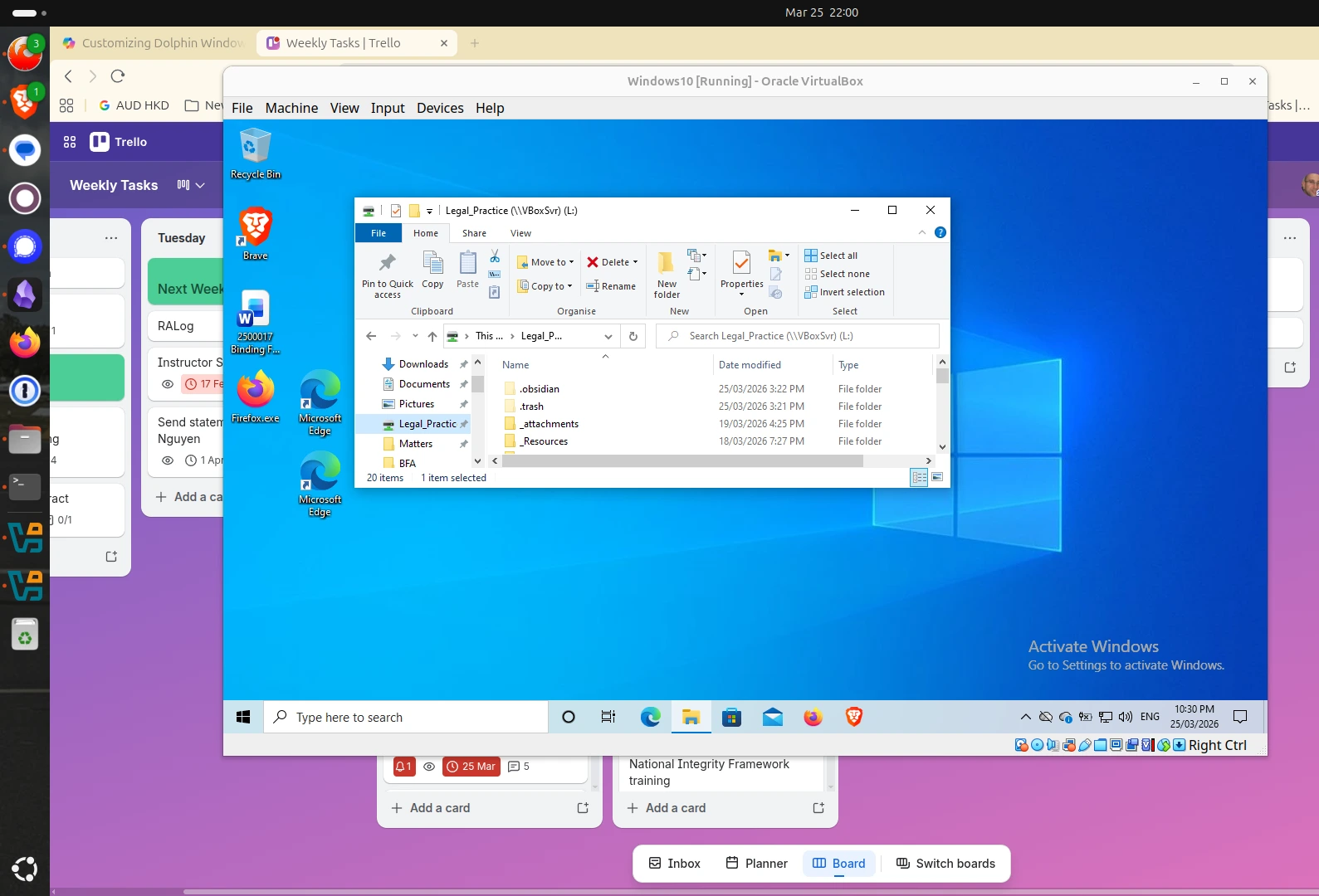
Windows virtual machine running in, well, a window on my Linux desktop.
The Ugly
'Ugly' overstates things, but there is some tinkering necessary to get Linux running just how I want it.
OneDrive is pretty low maintenance. I use a third party client which requires some technical know-how to install and run. That said, once it's up and configured it's quite reliable.
Outlook email is more complex and not ideal. I use Thunderbird as my email client with Owl for Exchange, a paid third-party paid add-on that connects to Microsoft 365. The add-on works well except for mailbox searching, which doesn't always return what it should, and meeting invite management. Meeting invites appear but sometimes do not have the Accept/Decline buttons, or are auto-accepted. I find myself going to the Outlook web client when I can't find a message in Owl or when I want to accept or decline an invite. It's not a big hassle but it is a hassle.
Finally, every now and then my laptop does strange things! A few days ago it decided I wanted CAPS LOCK turned on every 30 seconds or so. It occasionally shrinks my windows when I resize them. One time I plugged in an external monitor when giving a presentation and the laptop went into fits. A reboot has cured all these ills - so far! They haven't been much of a hindrance.
Is it Worth It?
Oh yes!
Net-net, running Linux is a positive. I do all my daily work but faster. The open source software I use, such as Thunderbird and LibreOffice, work fine and do everything I need them to. I get peace of mind knowing that keystroke and mouse movement isn't being sent to some tech megafirm for analysis of everything I do.
I wish I could do away with Word, but it's very much a tool of the trade. I can still run Word without having to give Linux away.
Linux isn't perfect, and there's certainly some tinkering required. But overall I'm very happy lawyering away on my Linux laptop and desktop.